
Você definiu os termos e condições para a sua loja de comércio eletrônico PrestaShop? Fique por aqui para descobrir o que incluir nos seus termos e condições PrestaShop, como gerar e inserir termos e condições na sua loja PrestaShop.
É essencial que você estabeleça diretrizes claras para prevenir mal-entendidos e se proteger de quaisquer responsabilidades. Vamos ajudar a tornar esse processo mais simples e fácil possível para que você possa focar no que é importante e estar pronto para o lançamento dentro de pouco tempo!
→Already generated your terms and conditions? Jump to How to add Terms and Conditions on PrestaShop
Though they’re not always legally required for other types of businesses, terms and conditions are often mandatory for online stores.
That’s because they contain legally mandated information about the conditions of sale and disclosures on methods of payment, shipping, delivery, withdrawals, cancellation conditions, etc. – as commonly required by consumer protection regulations.
Even if you run a small shop on PrestaShop, you should define your terms. It’s for your own good.
Here’s an example European users generally have 14 days to send back what they’ve bought, it’s called “right of withdrawal”. If you don’t correctly inform users of their rights, the withdrawal period is legally extended to 1 year and 14 days!
Do you want to save time, money, and stress? Yes? Then, a proper terms and conditions agreement is needed for your PrestaShop store!
As your PrestaShop site is unique to your activities and services what you need to include in your terms and conditions may differ from someone else’s. However, it is important to note that there are a number of clauses that are standard for almost every website’s terms and conditions.
- Identification and description of your business
- User guidelines that clearly state what is acceptable use while visiting the website
- Disclaimers and limitation of liability statements
For E-commerce, you should consider essential clauses such as:
- Warranty clause, disclose details of your warranty terms
- Payment terms clause, about methods of payments and how payments are processed
- Withdrawal clause, can include things like the right to cancel an order, make exchanges, returns, and refunds
- Delivery information where relevant
- Any store-specific terms that may apply – here you may choose to add information related to any deals and promotion codes you may offer (unique to your PrestaShop store).
It is also imperative you clearly display accurate contact details for your company in your terms and conditions.
⚠️ Many of these terms, such as warranty and withdrawal information, are legally required.
Our Terms and Condition Generator is optimized for PrestaShop Start generating your Terms and Conditions now
Como adicionar o contrato de Termos e Condições na PrestaShop
Agora que você gerou os seus termos e condições, pode usar o widget que normalmente é colocado no rodapé do seu site PrestaShop e exibe um link de texto ou botão. Quando clicado, ele abre uma janela no estilo lightbox para exibir os seus termos e condições.
Para o PrestaShop versão 1.7.8.0, siga as etapas abaixo:
Using PrestaShop version 1.6? Follow the steps shown in this privacy policy guide using our standard embedding method.
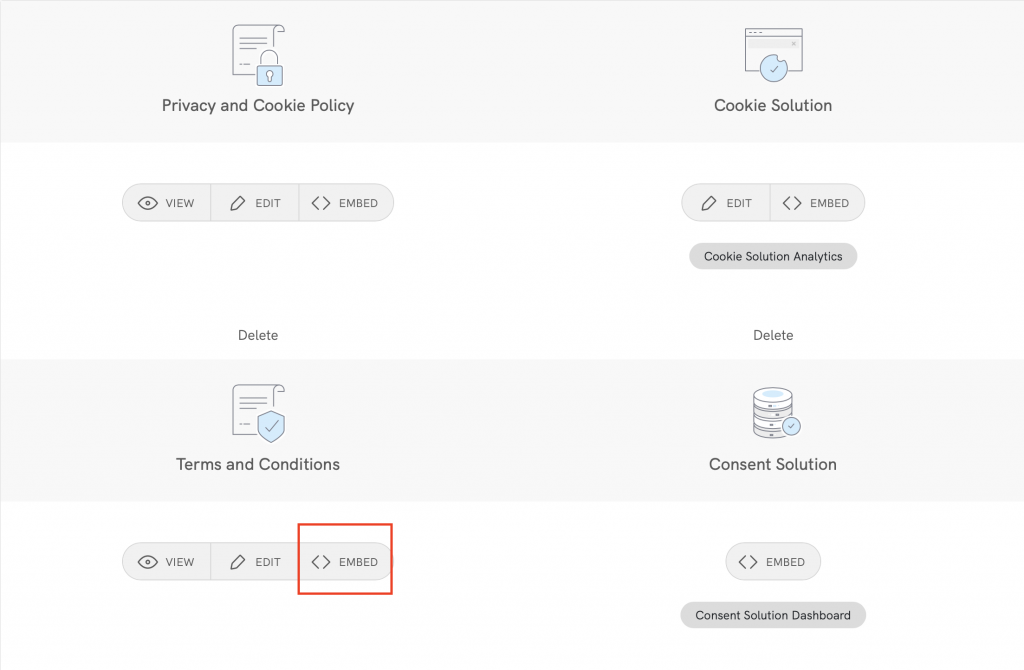
To get started first head over to your iubenda dashboard , click on [Your website] > Terms and Conditions > Embed
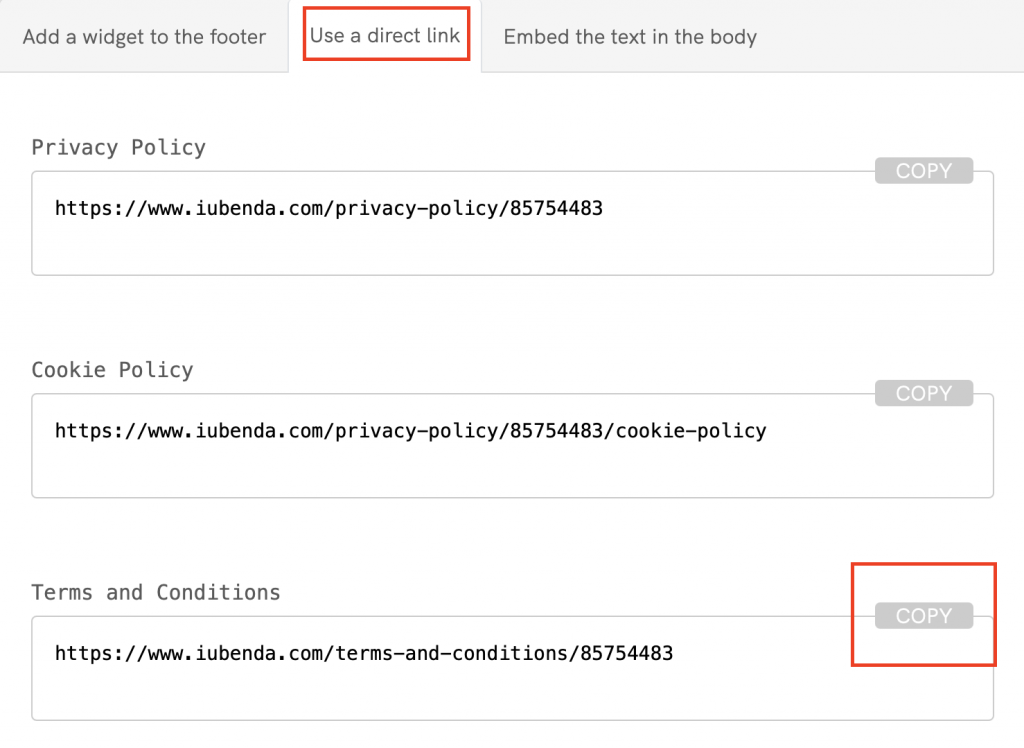
Para adicionar um link direto, clique em Usar um link direto e, a seguir, clique no botão COPIAR na seção intitulada “Termos e Condições”
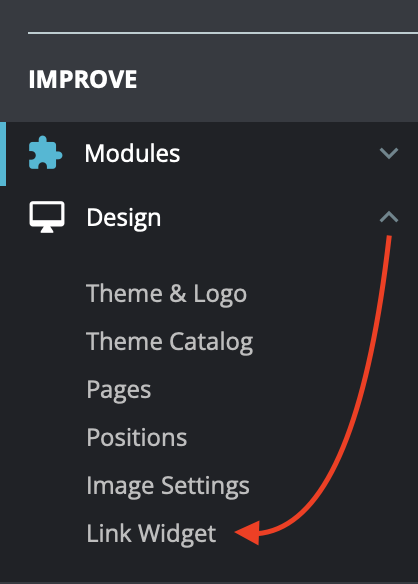
Em seguida, acesse o painel de administração da sua loja PrestaShop e vá para Design >Link widget (abaixo da seção nomeada Improve)
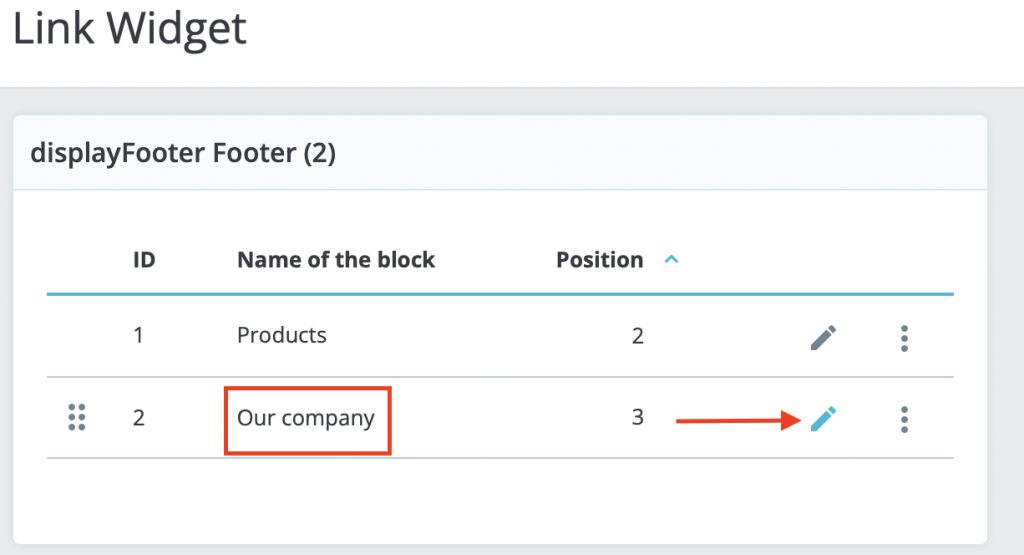
Você terá um bloco intitulado (Nossa) empresa ou Sobre (nós). Clique no botão Editar à direita (o símbolo da caneta)
⚠️ Observação: Ao seguir as instruções abaixo, você deve copiar o seu código iubenda. Não copie e use o código de exemplo deste guia.
Role para baixo até Conteúdo personalizado e dê ao conteúdo personalizado o título: “Termos e Condições”. Em seguida, adicione o link dos termos e condições do painel do iubenda na caixa do URL. Então, clique no botão Adicionar no lado direito inferior da página.
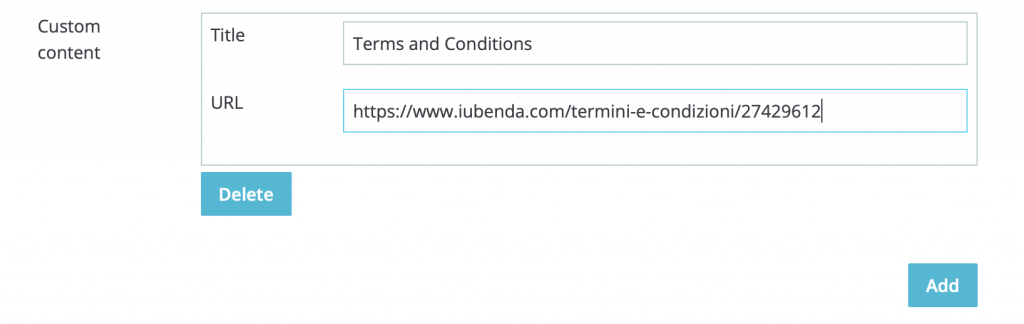
Observação: “27429612” é apenas um exemplo, a sua apólice terá um valor diferente.
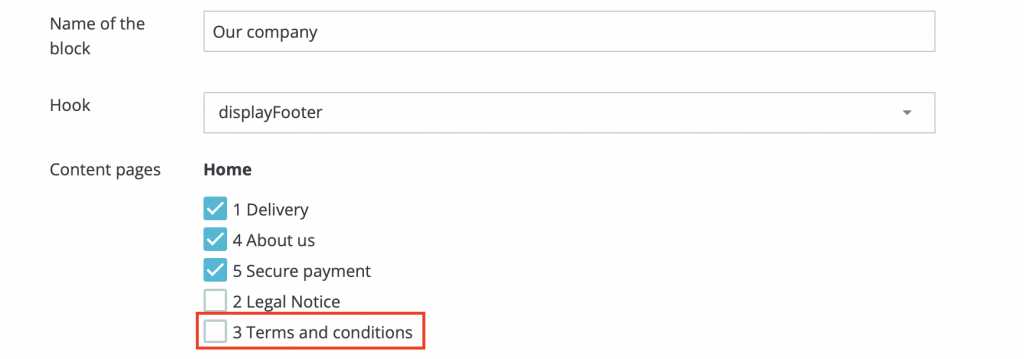
Em seguida, role até as páginas de conteúdo e desmarque os Termos e condições conforme mostrado abaixo. (isso evitará mostrar o link para os Termos e Condições padrão da PrestaShop)
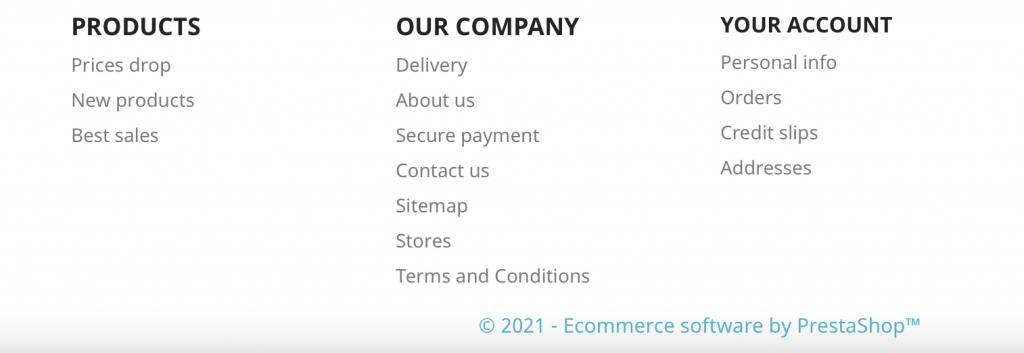
Por fim, clique em salvar e verifique o front-end da sua loja Prestashop!
💡Not sure what privacy documents you need for your PrestaShop? Do this quick quiz to see which laws apply to you and your business.