

Working in Claude or ChatGPT? You can also generate your privacy policy by asking your AI assistant, with the iubenda connector. Ask: “Create a privacy and cookie policy for my website.” It asks for your confirmation before publishing anything, and it works on every plan including the free one. See how it works
This guide shows you how to create a privacy policy with iubenda, from adding the services you use to publishing the policy on your site. If you don’t have an account yet, sign up for free first.
Creating your policy takes three steps:
- Add the services you use, so the policy reflects how your site or app collects data
- Add the privacy policy to your site, using one of the embedding options
- Update your policy when needed, whenever your site or the services you use change
🎥 How to create a privacy policy with iubenda: scan, configure and publish
1. Add the services you use
Your privacy policy needs to describe how your site or app collects and uses personal data. You do that by adding services in the generator. Services fall into two groups:
- Your own data collection, such as contact forms, newsletter sign-ups or comment systems
- Third-party services that collect data on your site, such as Google Analytics, Stripe or social media widgets
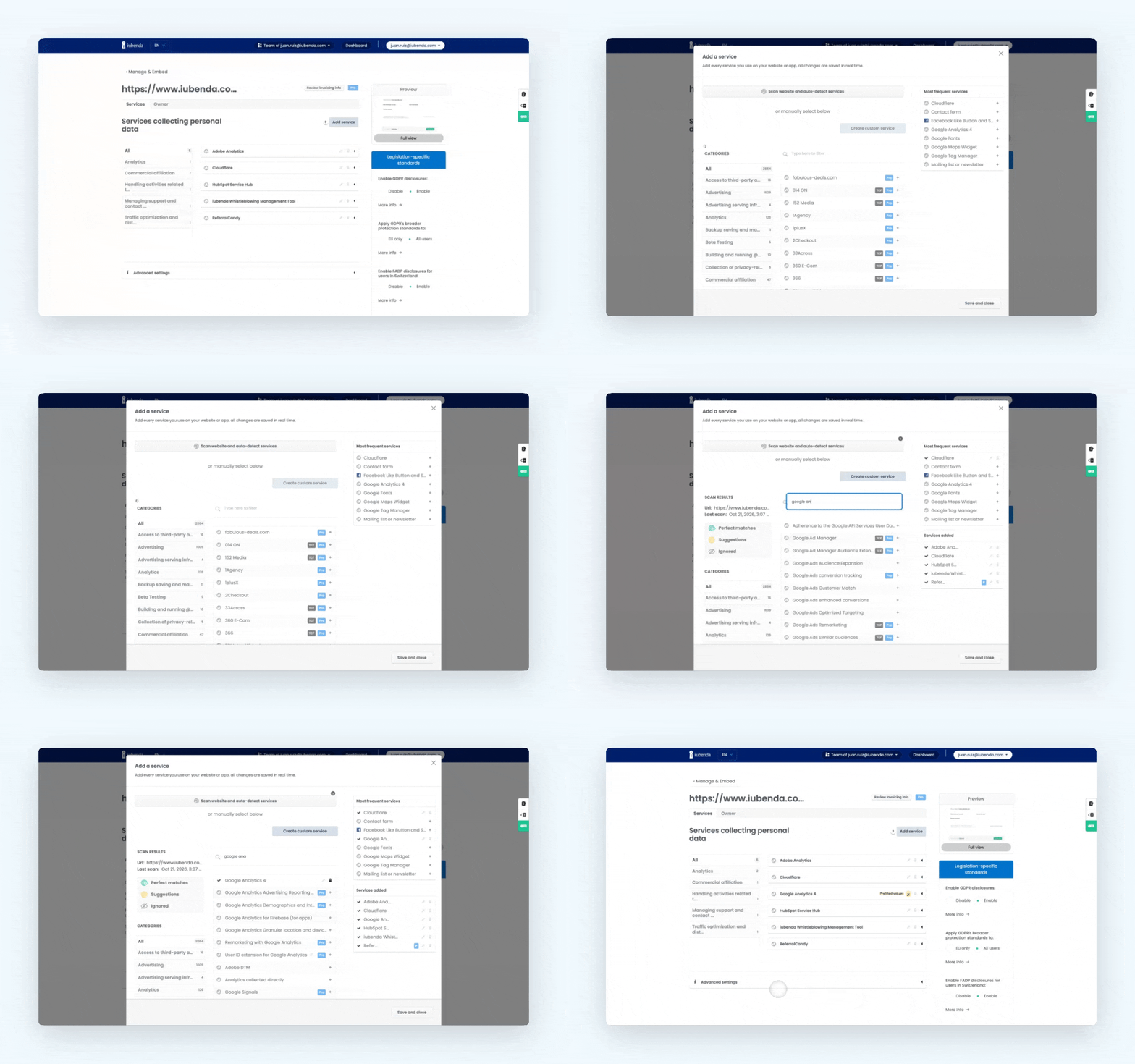
Scan your site (recommended)
The quickest way to find the services you need is the Site Scanner. Open your Privacy and Cookie Policy, click Add service, and click the scanner button at the top of the services window.
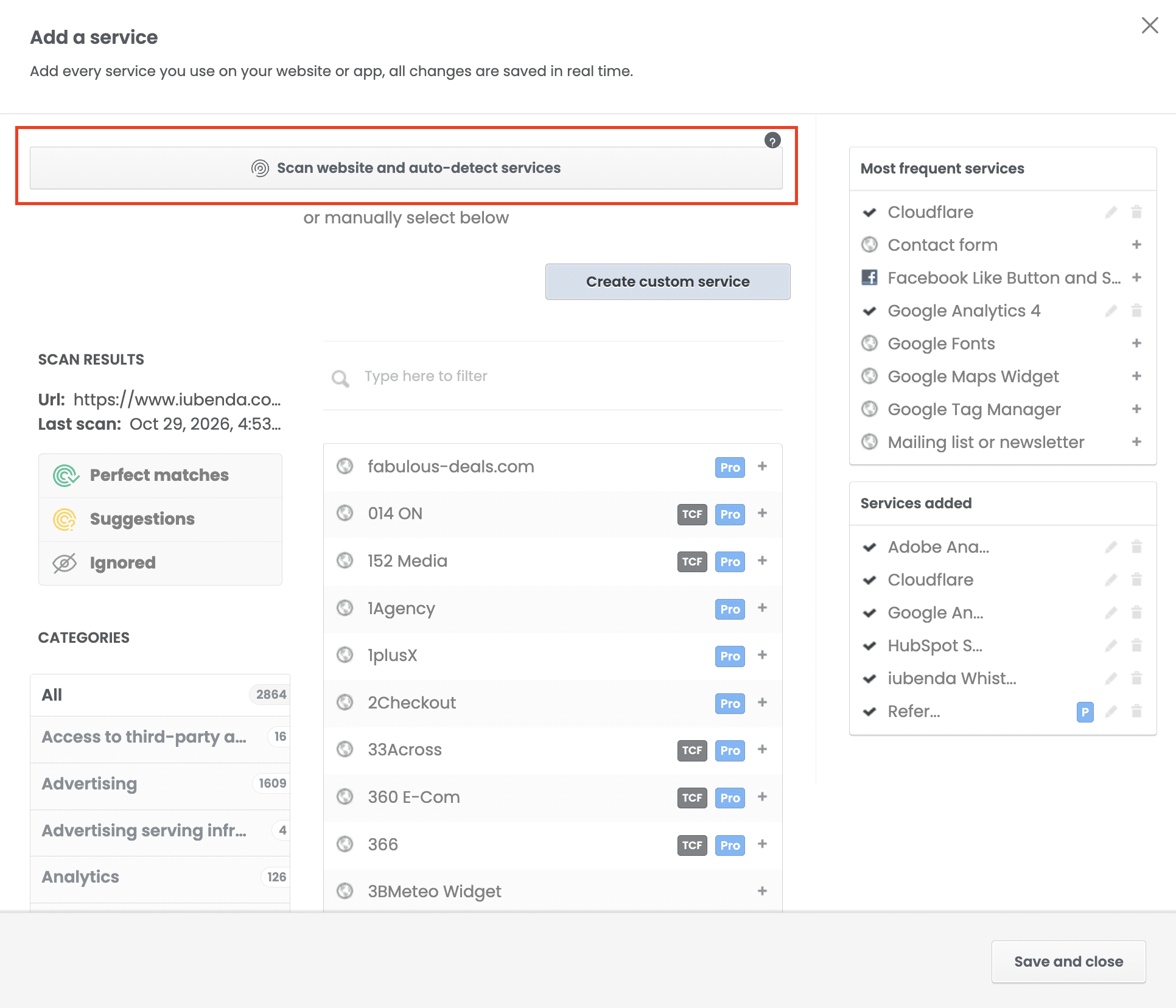
The scanner checks your site and lists what it finds in two categories:
- Perfect matches: services detected with high confidence, ready to add
- Suggestions: services that may be on your site. Review them and add the ones you use
Click the + button next to a service to add it to your policy. If the scanner detects a service you don’t use, ignore it so it won’t be reported as missing again.
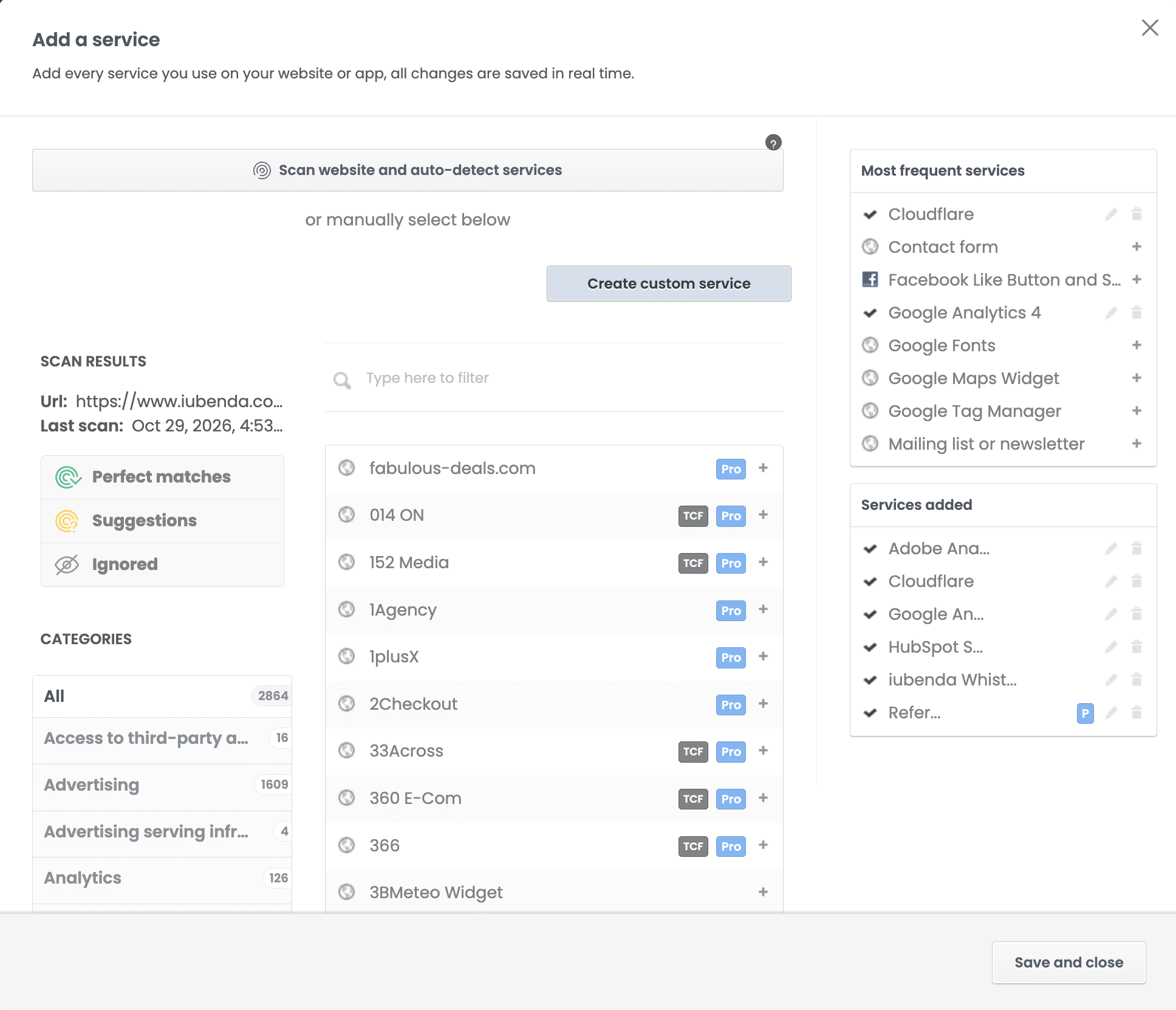
Add what the scanner can’t see
The scanner only detects technologies that are directly integrated on your pages. Search the services list and add anything else that collects personal data, for example:
- Newsletter and email marketing tools (such as Mailchimp or Constant Contact), even if the sign-up form lives elsewhere
- Contact, registration or comment forms that store data on your servers
- Payment processors (such as Stripe or PayPal)
- Purposes that need their own disclosure, such as selling goods and services online or direct email marketing
Third-party services usually process personal data too, so they need to be included in your policy. If you use tracking or analytics, you’ll also likely need a cookie notice and a cookie banner.
Add a custom service
Can’t find a service in the list? Add a custom service using the built-in form.
🇺🇸 Are you or your customers based in the US?
Check our guide on how to activate US compliance in the Privacy and Cookie Policy Generator
2. Add the privacy policy to your site
When the privacy policy is ready it needs to be added to the site. This is done by using the embedding code we provide.
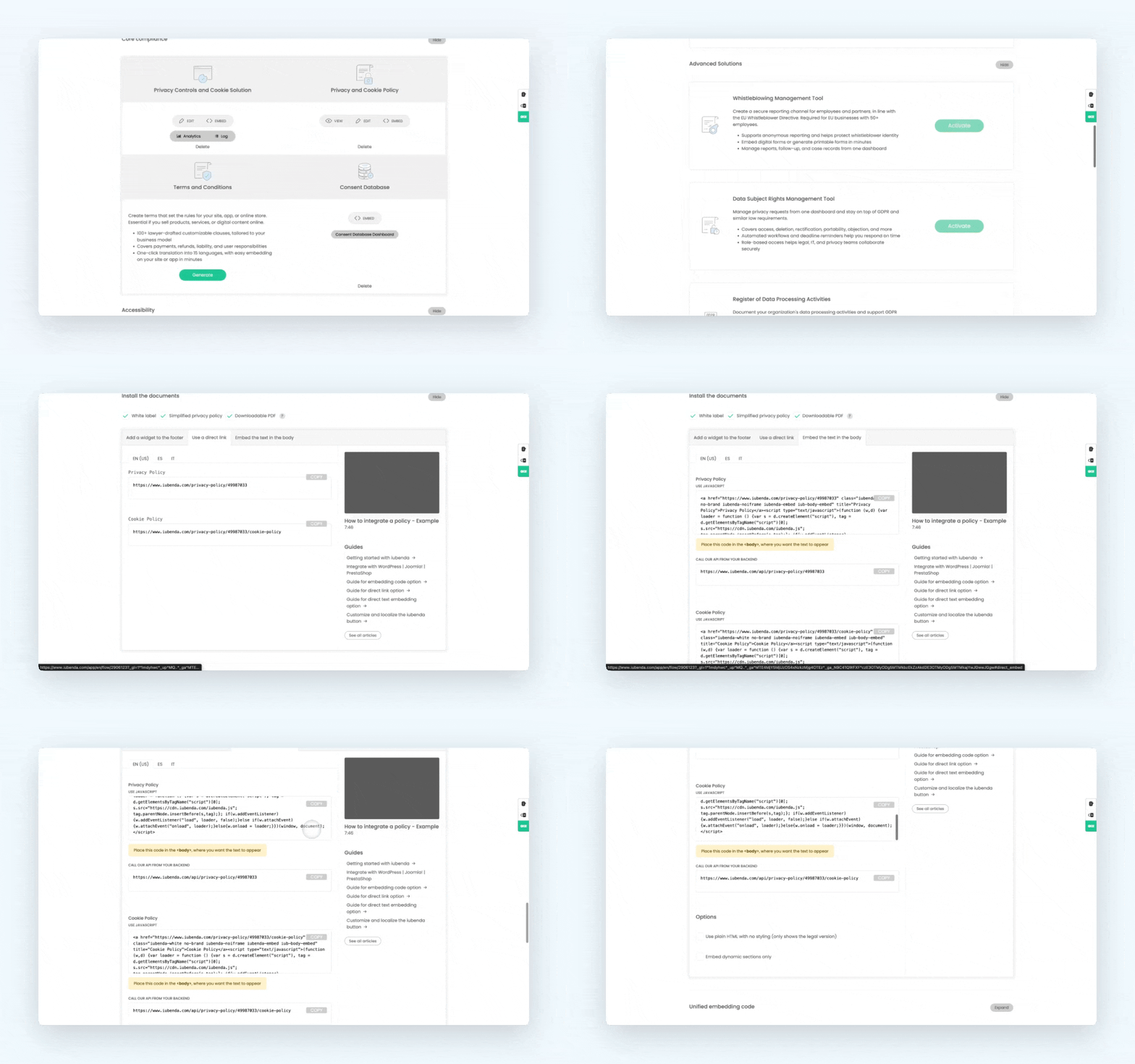
You can make the privacy policy available on your site/app in the following ways:
- as a button with a modal window (included in the standard free version);
- as a direct link (e.g. for App Stores);
- or as a direct site embed (that shows your privacy policy as a part of your website).
The video below shows how you can easily add the privacy policy to your website:
Additional links you might find useful here are:
- How can I remove the iubenda branding?
- Can I still make changes after creating the privacy policy?
- Can I copy and paste the privacy policy’s text into my website?
- Isn’t my privacy policy free?
3. Update your policy when needed
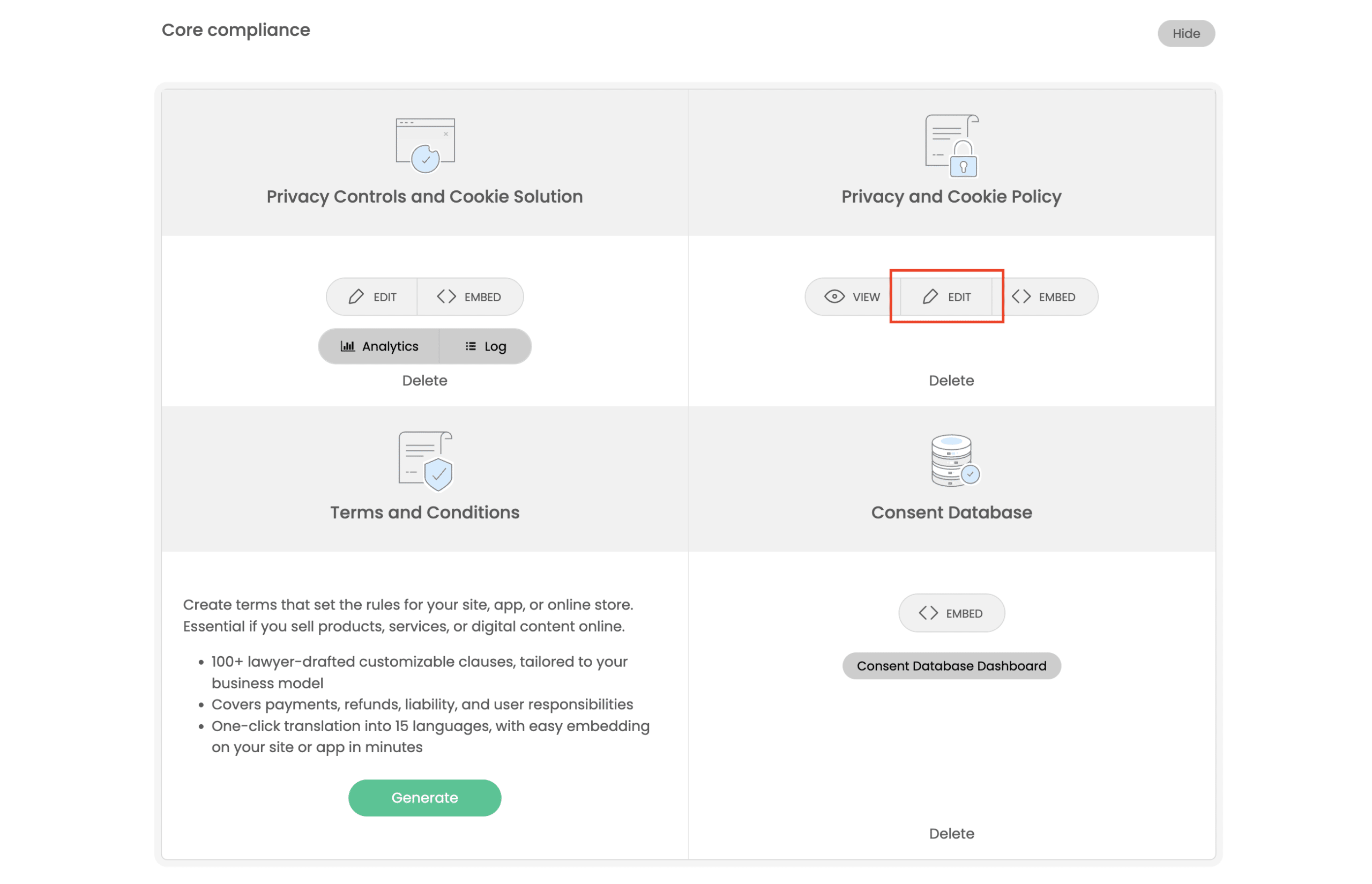
Our legal team monitors the main privacy regulations and updates the clauses in the generator, so your embedded policy reflects those changes. When your site changes, log back into your iubenda dashboard to add services, update your contact details or edit custom clauses. See how to edit a privacy policy.
💡 Tips
- Already have a similar site or policy? Use the site duplication feature instead of starting from scratch.
- Need help? Message us from the chat window: click the green help button on the right, then the live chat button at the top.