

Starting a new business almost always means building a website. Whether you’re launching a SaaS or opening an online store, your website is usually the first place customers find you and form their first impression of your company.
And when you’re in early-stage mode, “website compliance” is probably somewhere near the bottom of your priority list. We get it. It’s technical and tedious.
But the reality is that managing a website requires complying with a set of legal requirements to protect user data. Various privacy laws like the GDPR in the EU or the CCPA (California) in the US may apply to you from day one.
Getting them in place early means you won’t have to circle back mid-growth, when fixing things is harder and more disruptive.
Key takeaway: it’s not just about the rules
There’s a version of compliance that’s purely defensive: do the minimum, stay out of trouble, move on. We see it differently.
A clear privacy policy, a well-configured banner that gives control and respects choices, and an accessible website are all signals. They tell your users something about how you operate. In an environment where data scandals make headlines and dark patterns are still common, transparency has real commercial value. Users are more likely to trust and buy from businesses that are upfront about how they handle data.
When it comes to accessibility, an inaccessible website can create legal exposure and actively excludes part of your market. Building for everyone from the start is smarter than patching it later.
The companies that treat compliance as a competitive advantage rather than a formality tend to reap the benefits of a strong setup and improved image.
Work through this checklist by prompt: connect iubenda to Claude or ChatGPT and set up each item in the chat. See how it works
A checklist of what you need for your website compliance
1. A privacy policy
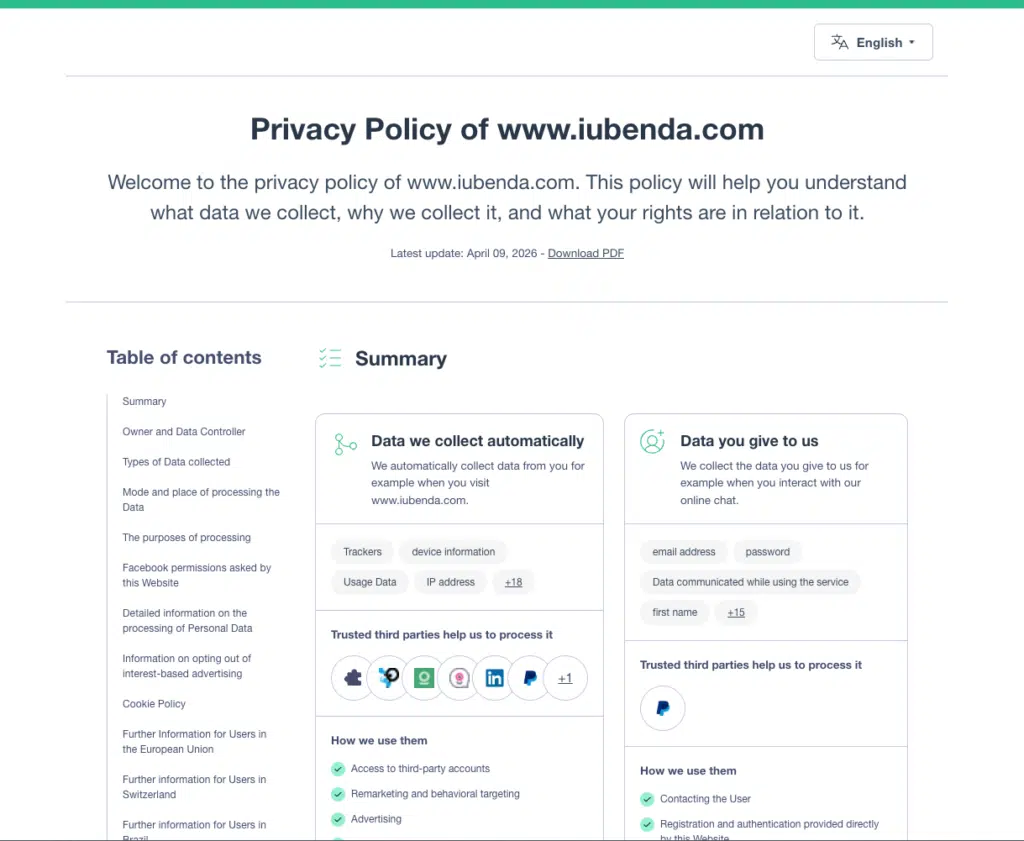
This is the one document most websites need. If your site collects any kind of personal data (which covers contact forms, Google Analytics, newsletter signups, and more), you should have a privacy policy in place.
Learn more about why you need this document and check out our guide on how to write it.
- Your privacy policy needs to explain what data you collect, why you collect it, who has access to it, how long you keep it, and what rights users have over it.
- Write it in plain language and link it from every page of your site, typically in the footer.
If you use third-party tools that process your users’ data (Google Analytics, Mailchimp, Stripe, a CRM), the GDPR requires a Data Processing Agreement (DPA) in place with each of them. Most major providers already include one in their terms or account settings. You often just need to find it and accept it. The gap is usually smaller or less common tools, so it’s worth doing a quick audit of every service connected to your site. Here’s more on what DPAs are and when you need one.
2. A cookie banner and consent mechanism
Under the GDPR and the EU ePrivacy Directive (commonly known as the “cookie law”), you need to get explicit consent from users before running any non-essential cookies on their devices.
That means analytics, advertising, social widgets, and most third-party tracking tools can’t fire until the user has actively agreed to the use of cookies.
- A cookie banner that meets legal requirements gives users a clear choice to accept or decline, blocks non-essential scripts until consent is given, and lets users change their preferences at any time.
- Pre-ticked boxes or banners that only offer an “accept” option don’t meet the standard.
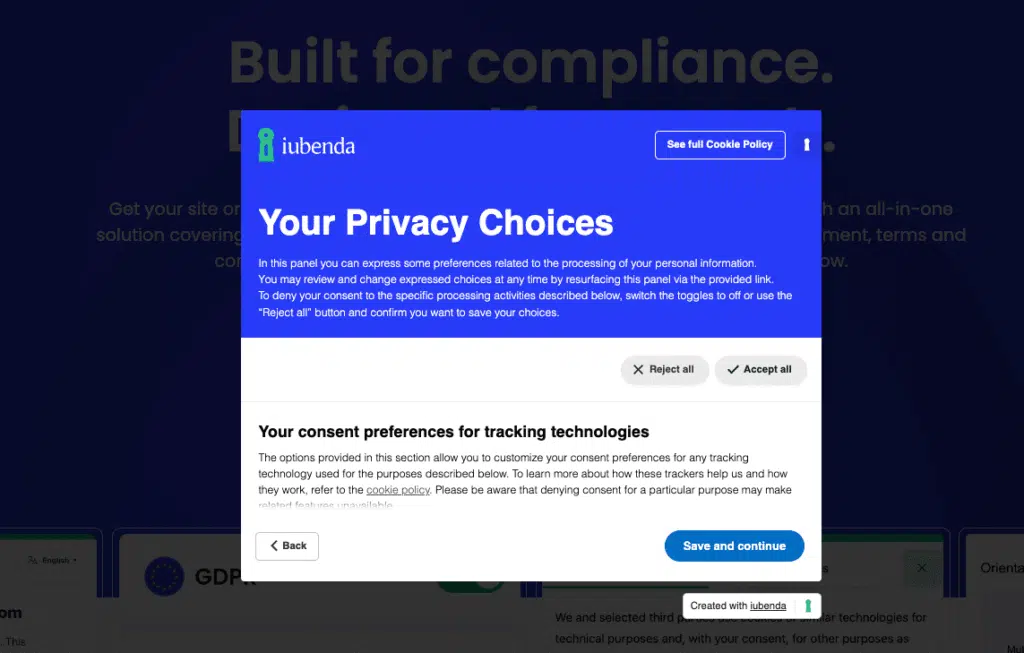
You also need to keep records of that consent. The burden of proof sits with you as the data controller, meaning that if a regulator or user ever questions whether consent was properly collected, you need to be able to show when it was given, by whom, under which version of your notices, and whether it was later withdrawn.
A consent management platform (CMP) can handle all the above automatically.
3. A cookie policy
A cookie policy covers the specific information users need about your use of cookies: which ones your site uses, what each one does, and how users can manage or remove them.
It can live as a dedicated section within your privacy policy or as a standalone document. Either way, the disclosures are legally required under the GDPR and the EU ePrivacy Directive.
4. Terms and conditions
Terms and conditions aren’t always a legal requirement for informational websites, but they’re strongly recommended for any business. They define the rules for using your site, limit your liability, and set clear expectations for your users.
If you run an e-commerce site, EU consumer protection law requires you to clearly disclose your conditions of sale, accepted payment methods, delivery information, and the 14-day withdrawal (“cooling-off”) right that every EU consumer is entitled to. Missing these disclosures can create real problems if a dispute ever arises.
Even if you’re not selling online, having terms and conditions in place from day one protects you and sets a professional tone.
5. A process for handling user rights requests
The GDPR gives users a set of rights over their personal data: the right to access it, correct it, delete it, and in some cases, export it. As a business, you need to be ready to respond to these requests, typically within 30 days.
This doesn’t need to be complex at launch, but you do need a clear process. Know where your user data lives, who handles these requests, and how users can submit them (usually through your privacy policy or a dedicated contact form).
6. Web accessibility
Since June 2025, the European Accessibility Act (EAA) requires most businesses selling digital products or services in the EU to make their websites accessible to people with disabilities. If your business has at least 10 employees or a turnover of more than €2 million annually, this applies to you.
In practice, accessibility means your site works for users with visual, hearing, motor, or cognitive disabilities. The benchmark is WCAG 2.1 Level AA: things like sufficient color contrast, keyboard navigation, alt text on images, and captions on video content.
You’ll also need to publish an accessibility statement on your site, explaining your current level of accessibility and how users can flag any issues.
A note on scope
This checklist is based on the requirements of the General Data Protection Regulation (GDPR), one of the strictest privacy frameworks in the world. We’ve used it as a baseline because it applies broadly: to any business with users in the EU, regardless of where the business itself is based.
That said, the specific rules that apply to your website depend on factors like who can access it, and what type of business you run. Other regulations or sector-specific rules for e-commerce or children’s services may add further requirements. If you’re unsure which regulations apply to your situation, it’s worth getting specific legal advice before starting.

How to get it done
There’s no single way to handle all of this, and the right approach depends on your stage, budget, and how much legal complexity your business involves. Here’s an overview of your main options.
Building your site with AI?
AI tools can put a functional website together faster than ever. But they can’t handle consent management and present a high risk for generating legal documents. And there’s a specific trap worth knowing about: some AI site builders will generate what looks like a cookie banner, but it’s just a display element. It shows up on screen, but nothing is happening in the background. Scripts still run, consent isn’t collected, and no records are kept. Visually, it looks fine. Legally, it doesn’t exist.
Cookie banners, script blocking, and consent records need a proper infrastructure. If you’ve used an AI site builder, the checklist above still applies in full, and you’ll need to layer the compliance pieces on top separately.
| Option | What it covers | Pros | Risks |
|---|---|---|---|
| Free template online | Privacy policy, T&C, cookie policy, etc. | Free, quick to find | High. Too generic. Should be tailored to your type of business or tools. Might be outdated. Hard to defend if challenged. |
| AI-generated document or banner | Privacy policy, T&C, cookie policy. Banner elements | Fast, easy to customize | High. Not legally reviewed, accuracy not guaranteed, and won’t update as laws change. An AI-generated banner component is not compliant. |
| Legal document generator | Privacy policy, cookie policy, T&C | Lawyer-drafted, built for specific regulations, customizable, updates as laws evolve | Low when it’s a professional tool with a legal team behind it. Quality varies by provider. Choose one that keeps documents current. |
| Cookie consent plugin | Free plugins don’t have the advanced features that may be necessary. Subscription-based plugins have consent management, etc. | Easy to install | Medium. Beware of free plugins that may not block scripts before consent, store consent records or help with industry standards like IAB or Consent Mode. |
| Consent management platform (CMP) | Cookie banner, script blocking, consent records, IAB TCF and Consent Mode framework | Automates consent collection and record-keeping, built to meet legal requirements across legislations | Low if you use a professional solution. A proper CMP significantly reduces exposure. |
| Accessibility widget | Web accessibility, accessibility statement | Quick to add to your website | Medium. Supports usability but full WCAG conformance requires broader work across your site. |
| Lawyer or legal service | Everything but the technical implementation | Fully tailored to your business model and jurisdiction | Low upfront, but documents become outdated without an ongoing relationship (which means very costly). |
Getting it all set up
Working through each of these separately takes time, especially when you’re also building a product, finding customers, and managing everything else that comes with launching a business.
iubenda gives you the professional tools to handle all of it: a Privacy and Cookie Policy Generator, a Consent Management Platform with consent records, a Terms and Conditions Generator, and a widget for accessibility.
Our legal documents are drafted by lawyers. We’ll notify you when regulations change, so your documents stay current without you having to track every development yourself.
iubenda’s solutions are exactly for this situation: founders who want to do things properly without making compliance a second job.