
You can also do this by prompt. Connect iubenda to Claude or ChatGPT, ask it to generate your privacy policy, and it hands you the embed to paste in the steps below. See how it works
Once you’ve generated your privacy policy with iubenda, you have three ways to integrate it on your Ucraft website. You can either:
- take advantage of iubenda’s free version by using our widget;
- add a direct link to your Ucraft site that will then lead your users to your iubenda-hosted privacy policy; or
- directly embed the privacy policy text into your Ucraft privacy policy page.
1. Widget
You’ll need a Ucraft paid plan to include HTML code into your footer.
- Access your iubenda dashboard
- Click on [Your website] > Privacy and Cookie Policy > Embed
- Copy the code under the Add a widget to the footer tab
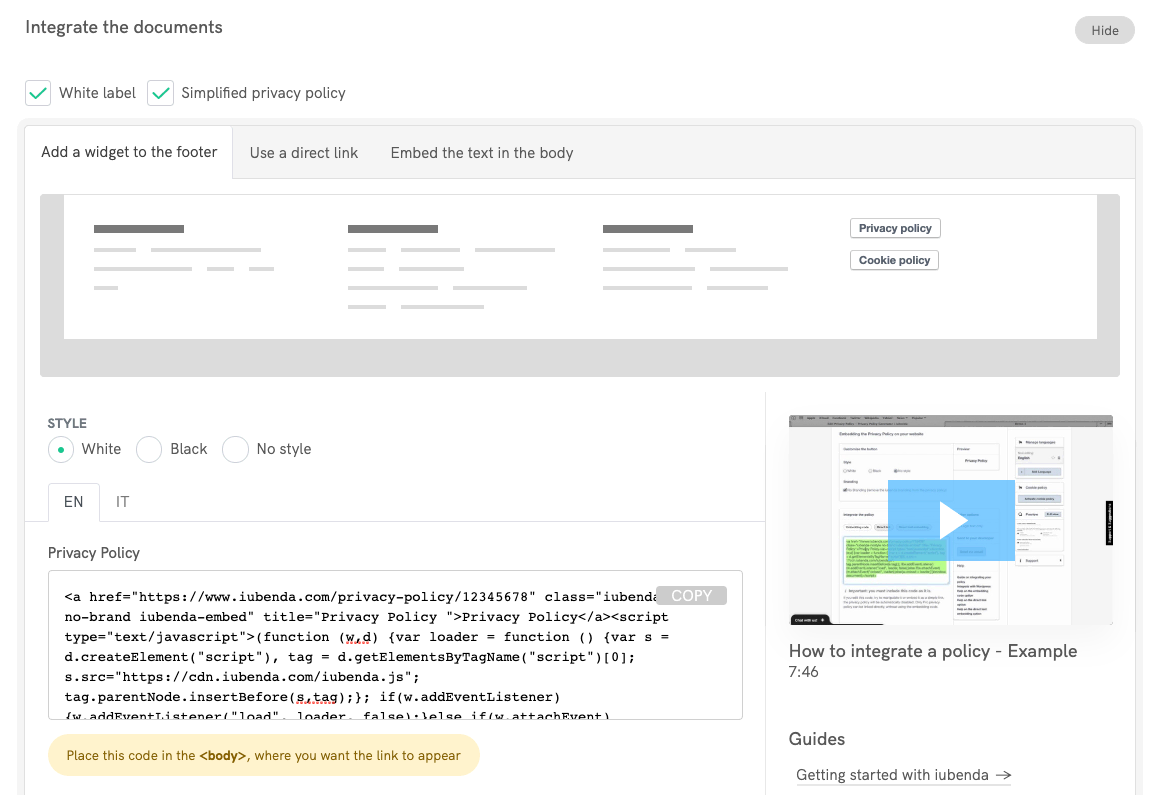
Now:
- Go to your Ucraft project
- Add an Custom HTML element to your footer (more info on this Ucraft support article)

- Paste your iubenda snippet and click Embed code (please note that the embedded code will become available once you have connected a domain to your website)
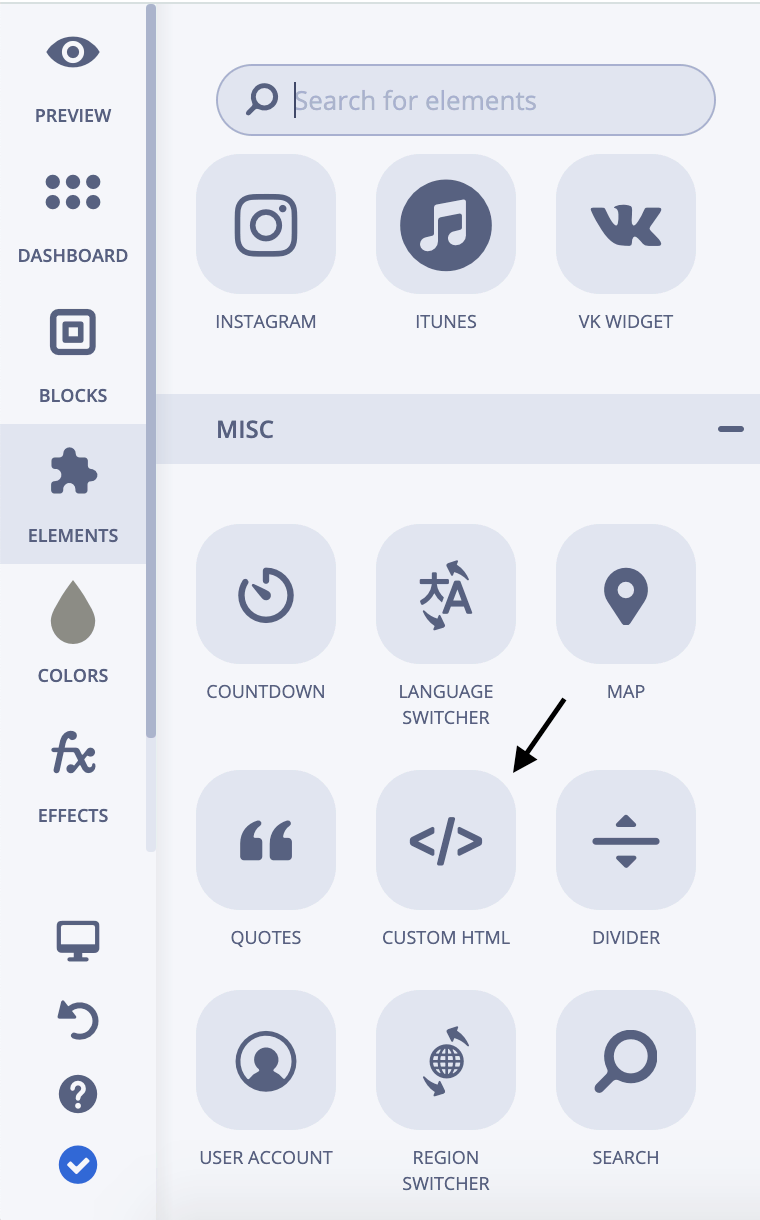
What does this look like?
Here is a working example. Click on the button to open the policy:
Privacy Policy2. Direct link
Notice for our Legacy Users: This method requires a iubenda Pro/Ultra License, but it works also with the Ucraft free plan.
- Access your iubenda dashboard
- Click on [Your website] > Privacy and Cookie Policy > Embed
- Copy the privacy policy URL you find under the Use a direct link tab
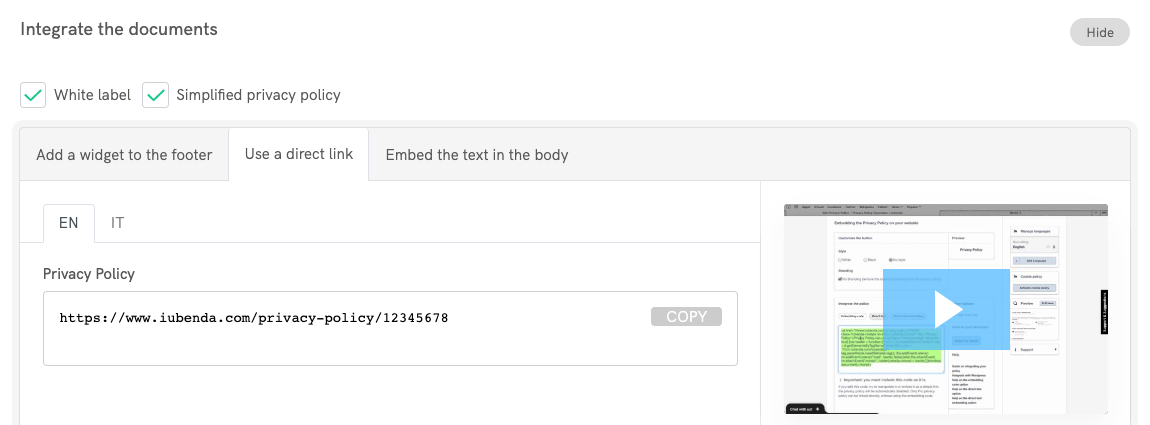
Now:
- Go to your Ucraft project
- Add a Paragraph to your footer or edit an existing one (if you need help with Ucraft blocks, take a look at the this guide)
- Insert the text "Privacy Policy" and highlight it
- Click on the Insert/edit link button
- Paste the privacy policy URL in the link settings URL field
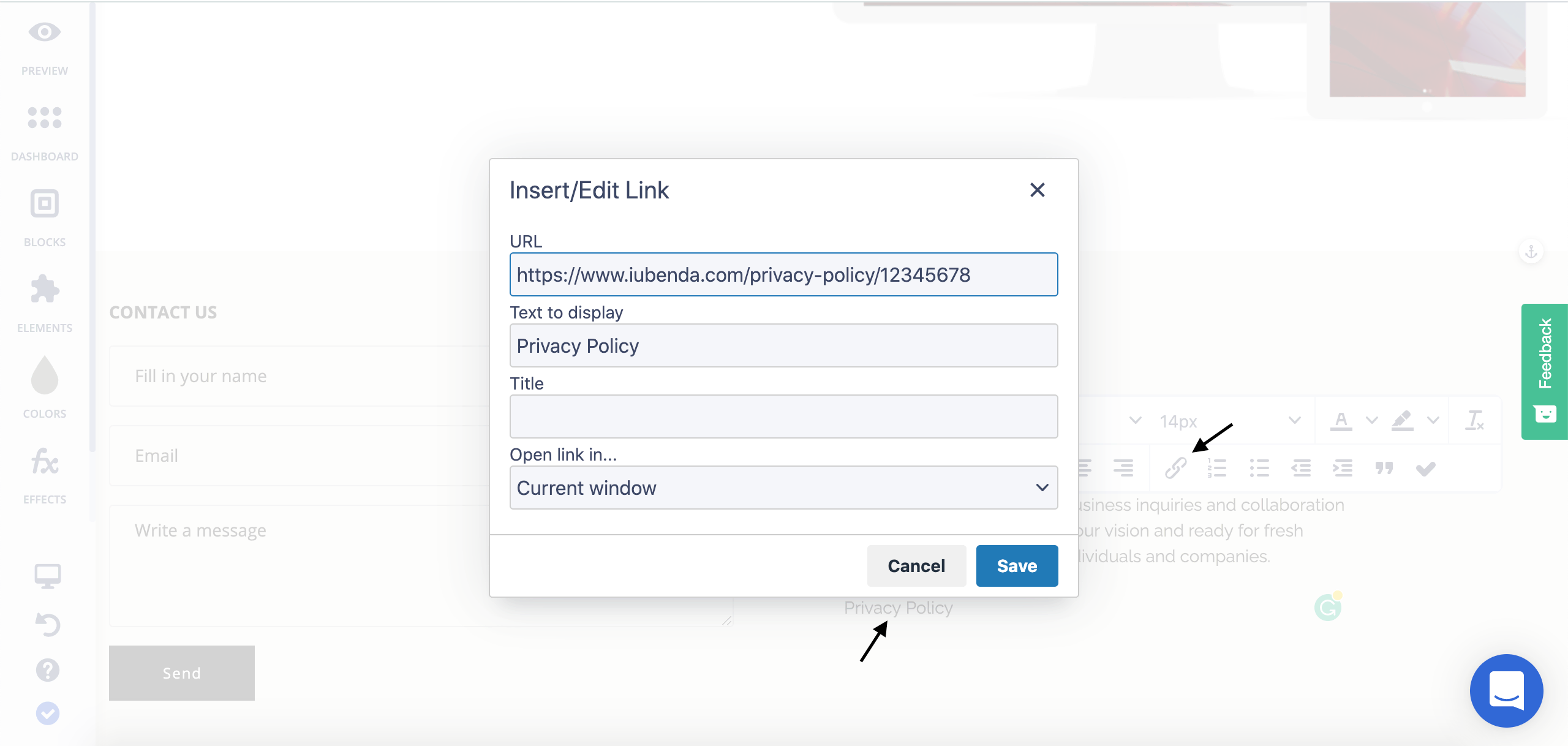
And you’re done.
3. Direct text embedding
Notice for our Legacy Users: This method requires a iubenda Pro/Ultra License and a Ucraft paid plan.
The direct text embedding option makes your privacy policy look as if it were natively a part of your own site:
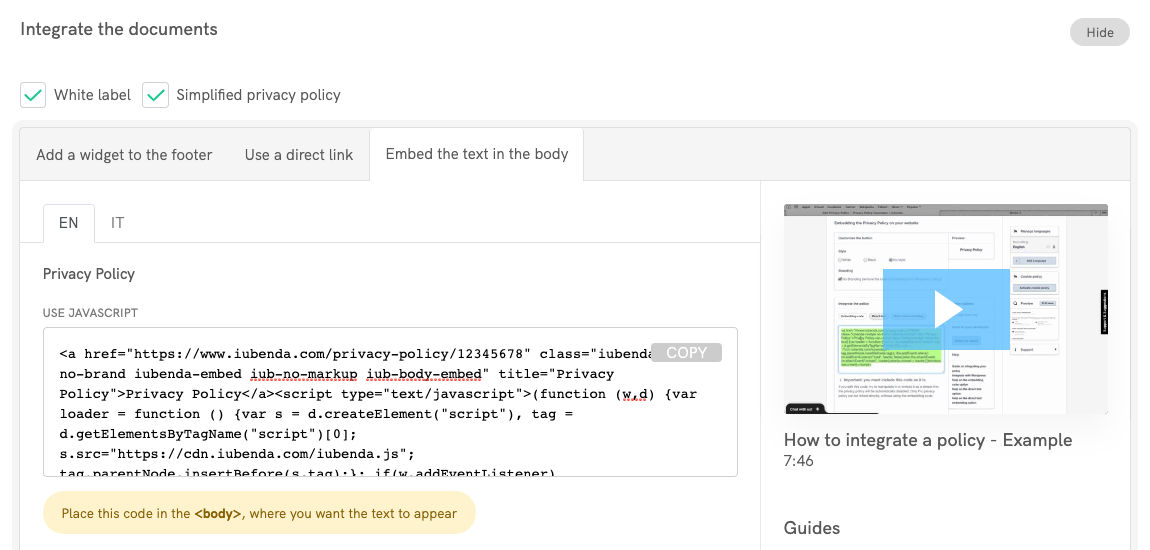
- Access your iubenda dashboard
- Click on [Your website] > Privacy and Cookie Policy > Embed
- Copy the code under the Embed the text in the body tab
Now:
- Go to your Ucraft project
- Add a new page and name it "Privacy Policy" (or empty an existing one of all its contents)
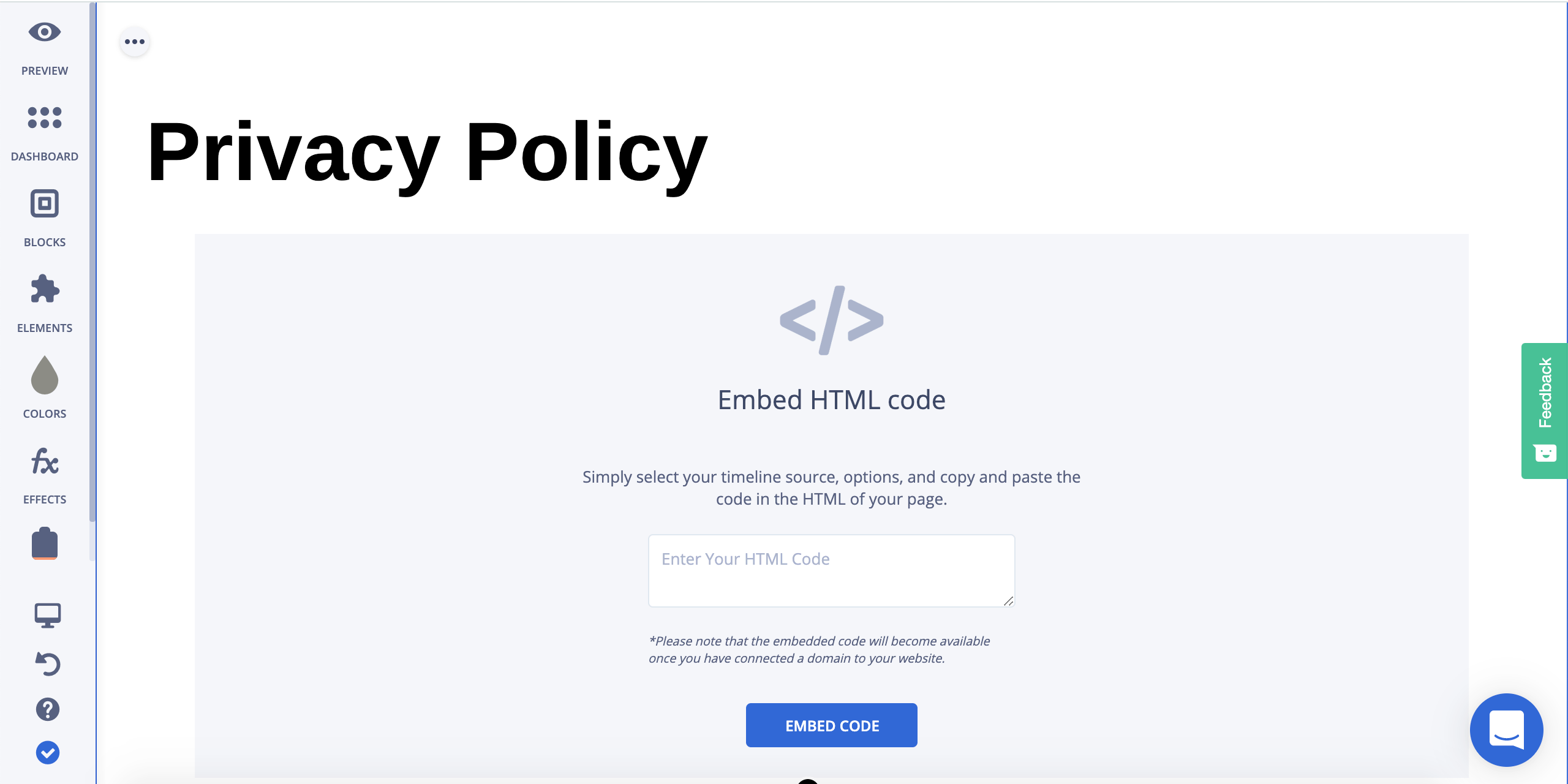
- Add a Custom HTML element to your Privacy Policy page (check the Ucraft support for more info about custom code embedding)
- Paste your iubenda snippet and click Embed code (please note that the embedded code will become available once you have connected a domain to your website)

And you're done.